
Real-Time Voice Pace Coaching for Runners
SplitCue is an interval running app for iPhone that coaches you with audio announcements for pace, distance, elapsed time, and interval transitions — so you can focus on running, not your screen.
Designed for Runners Who Mean Business
A clean, dark interface built for glanceable info during workouts — or no glances at all.
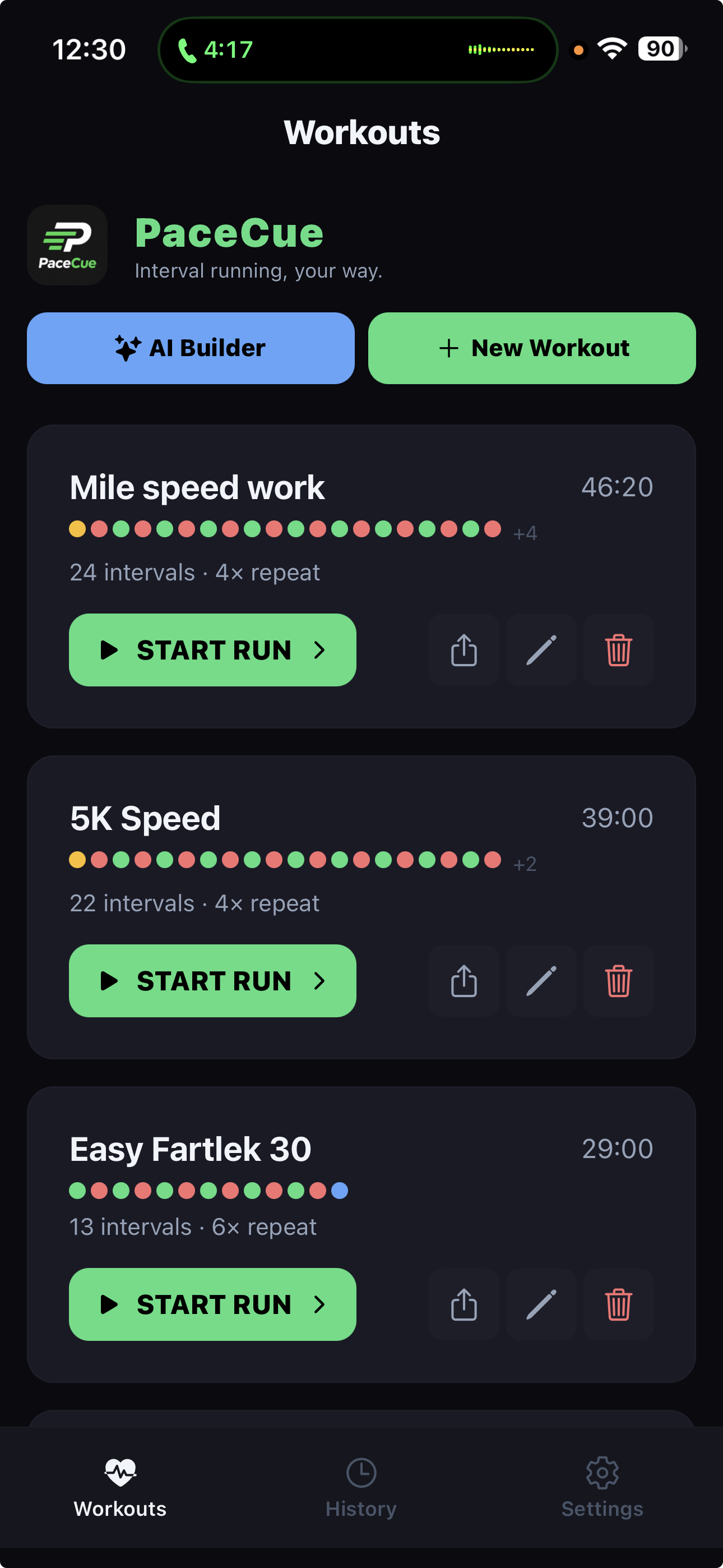
Workout Library
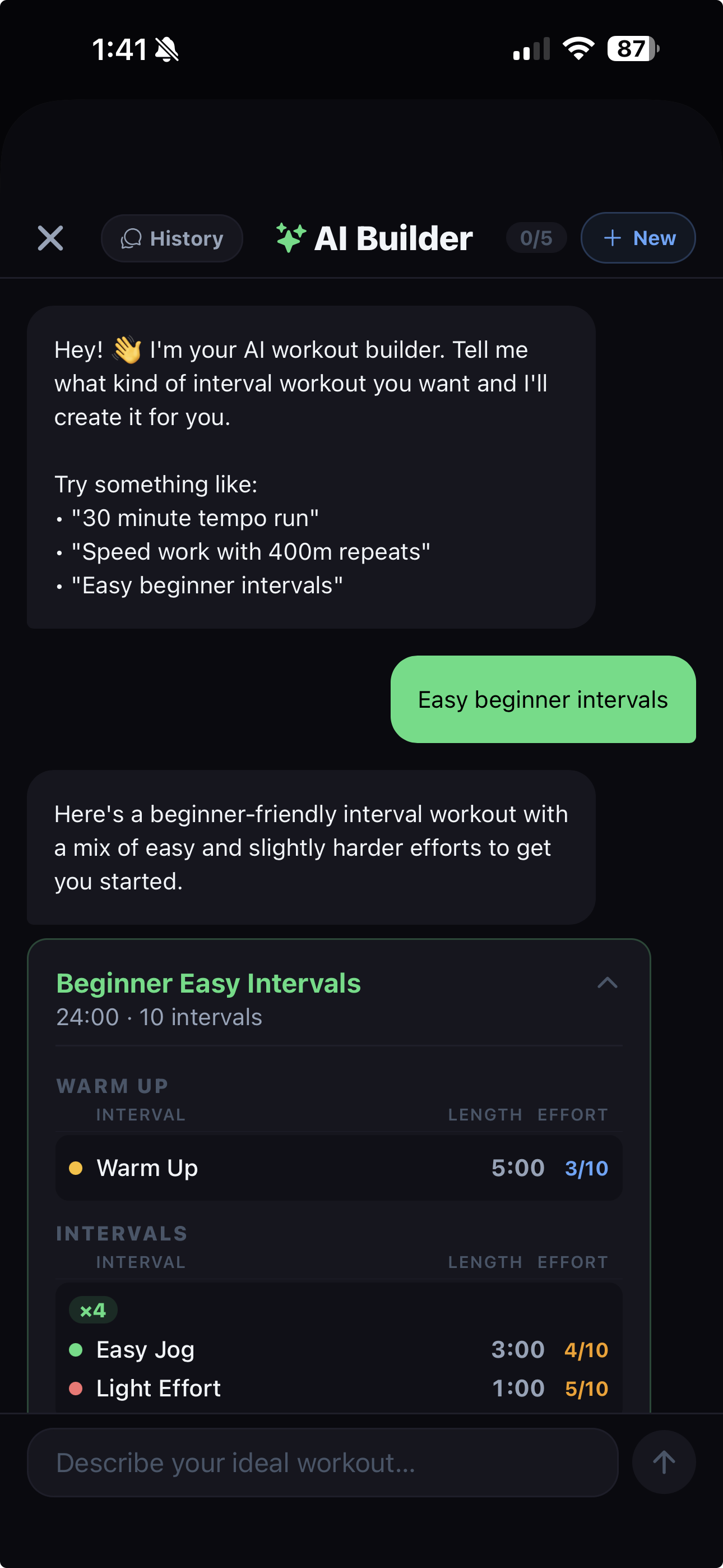
AI Workout Builder
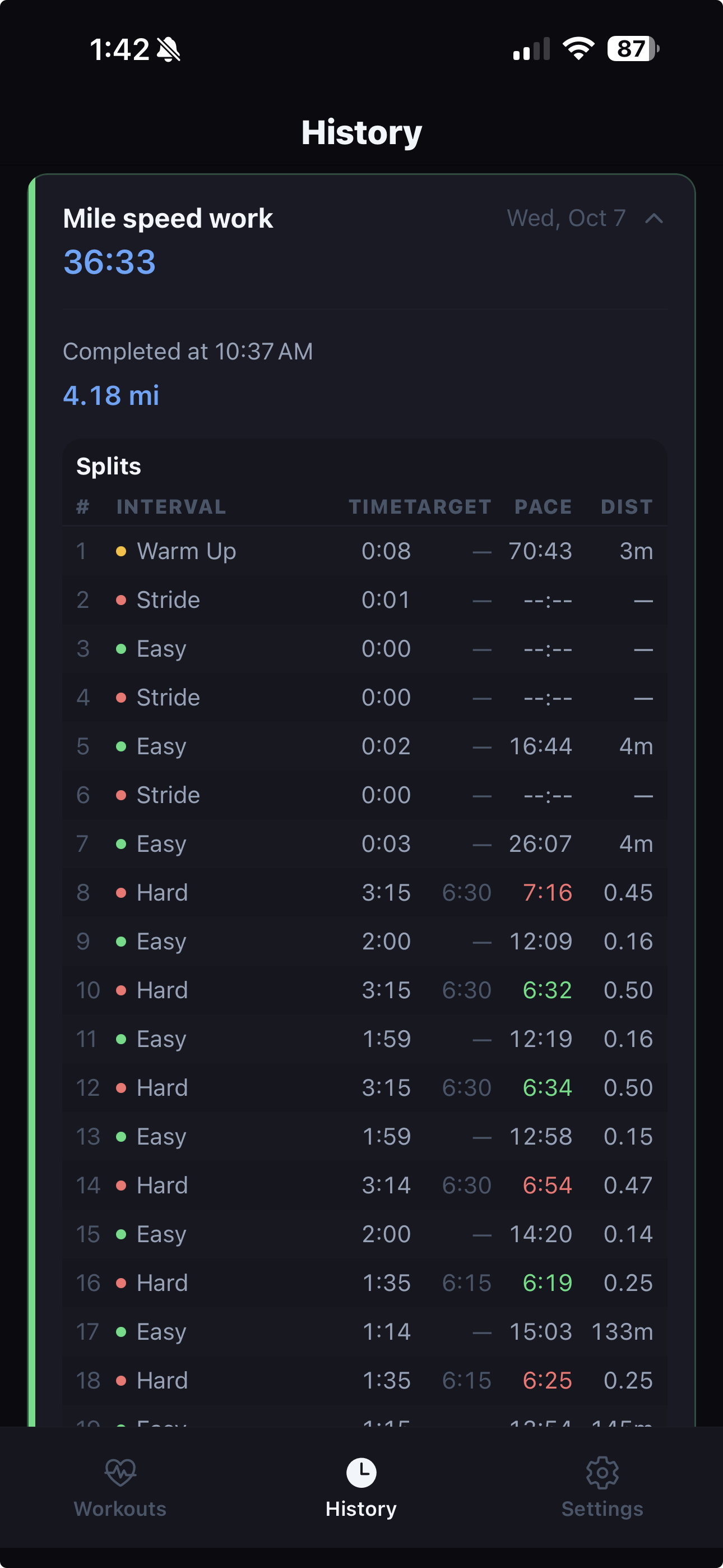
Run History & Splits
Voice-Coached Interval Training and GPS Pace Tracking
SplitCue is a running app designed for runners who want structured interval workouts with hands-free voice coaching. Instead of constantly checking your phone or watch, SplitCue announces your current pace, elapsed time, distance, and interval transitions out loud.
Whether you're doing 400-meter repeats, tempo runs, fartlek sessions, or run/walk intervals, SplitCue guides you through every phase with clear audio cues.
Voice Pace Announcements
Hear your current pace (min/mile or min/km) at configurable intervals — every 15, 30, 60, or 120 seconds — using GPS-based tracking with a rolling average for accuracy.
Interval Timer With Audio Cues
Build structured workouts with warmup, hard, easy, and cooldown intervals. SplitCue announces each transition, tells you what's next, and gives countdown warnings.
AI Workout Builder
Describe what you want in plain English — like "a 30-minute tempo run with strides" — and SplitCue's AI generates a complete interval workout.
GPS Pace Tracking
Real-time GPS tracks your pace, distance, and speed throughout your run. Set target paces on individual intervals and get alerts when you drift off target.
Runs in Background
Lock your phone and keep running. SplitCue continues tracking and announcing in the background, ducking your music volume for cues and restoring it after.
Workout Sharing
Share your workout structures and completed results with other runners via a link. Recipients can import the workout directly into SplitCue.
Build Your Perfect Workout
Design interval workouts with precise control — or let the AI handle it.
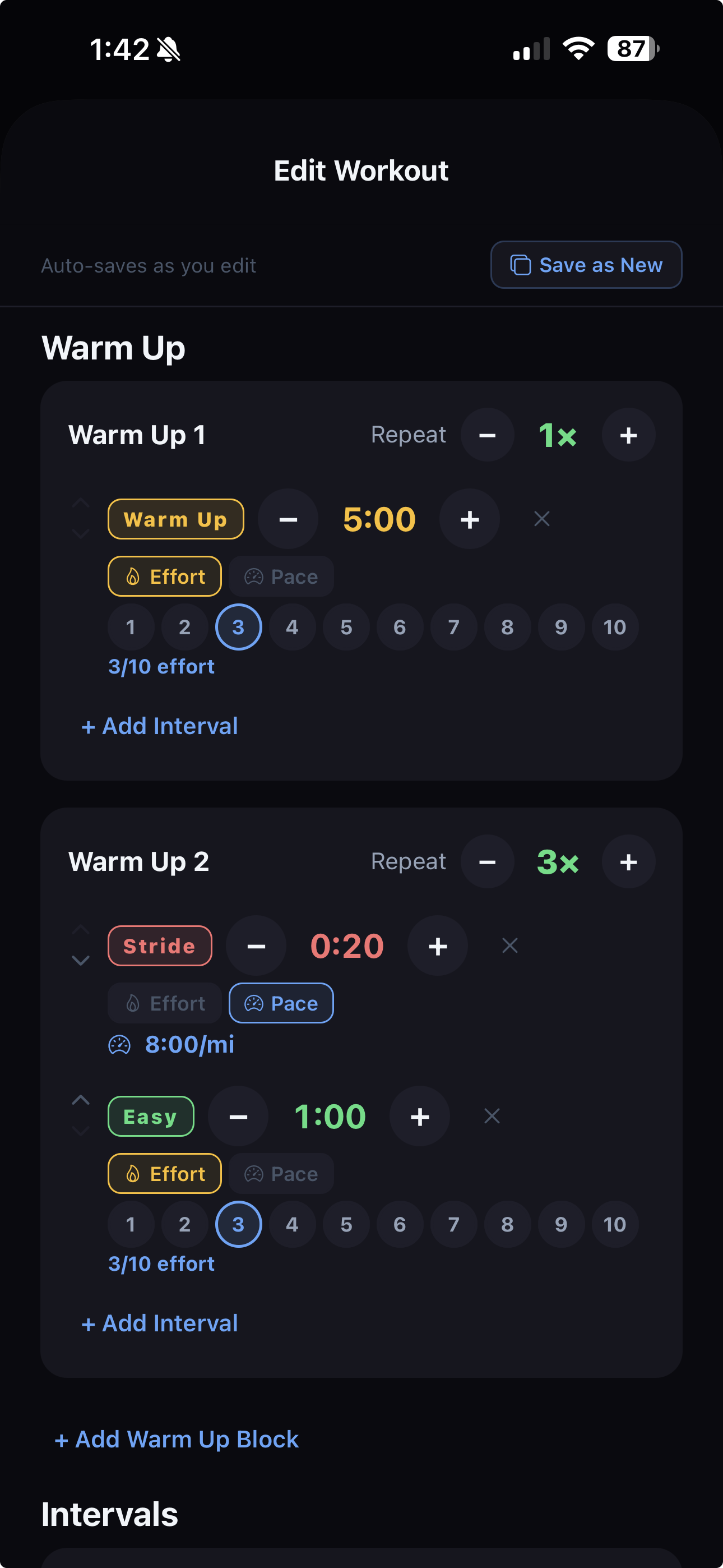
Workout Editor
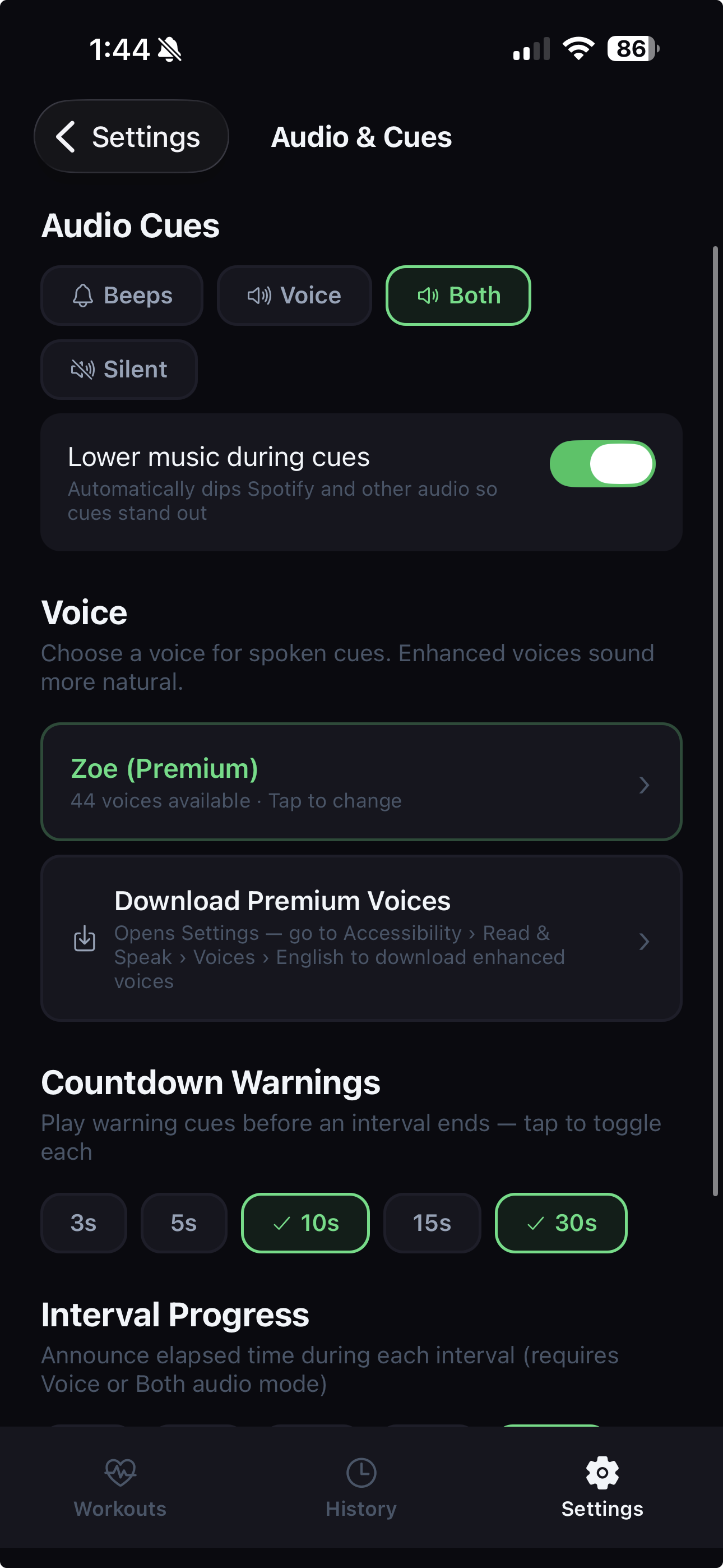
Audio & Voice Settings
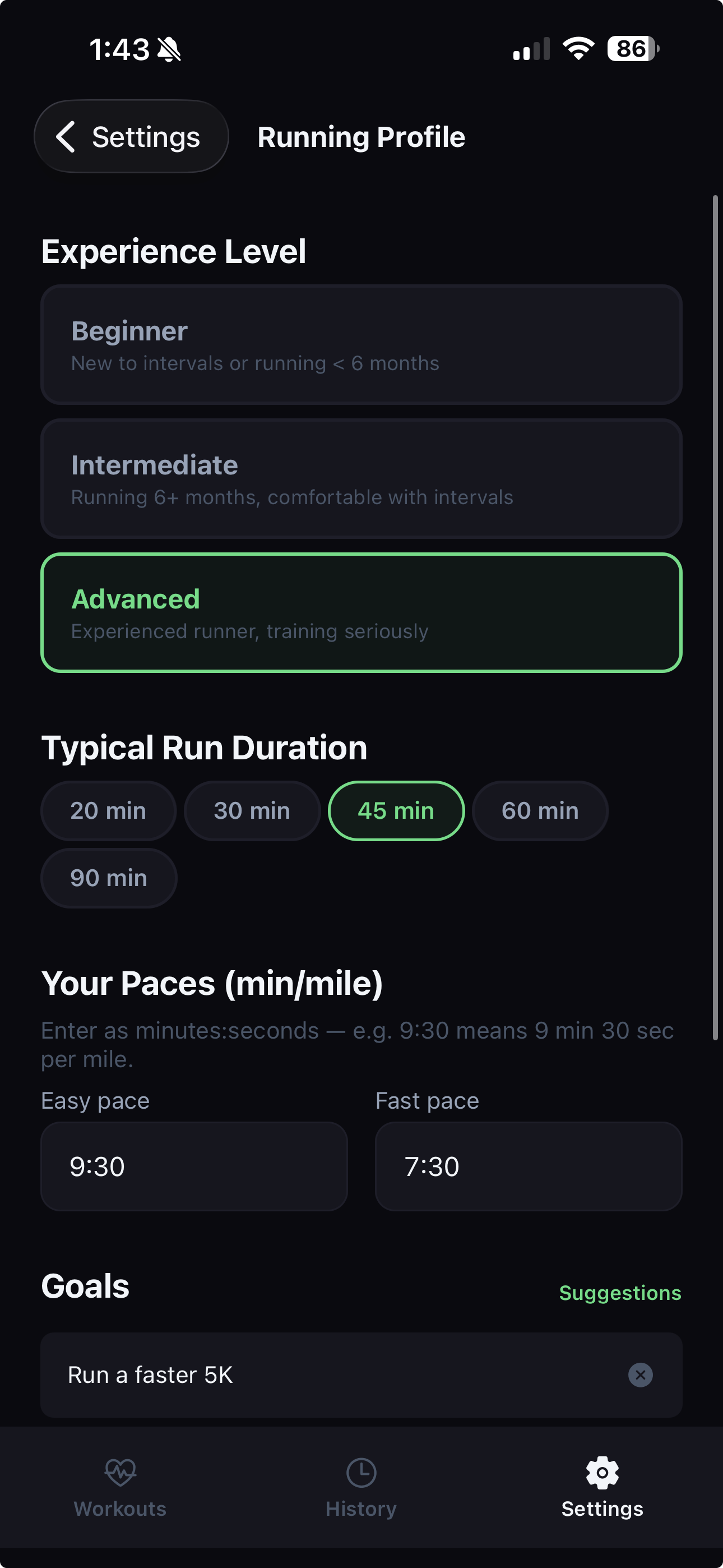
Running Profile
Built for Every Kind of Runner
Interval Runners
Speed work, tempo runs, fartlek, hill repeats — SplitCue handles the timing so you can focus on effort.
Beginners Using Run/Walk
Following a run/walk program? SplitCue tells you when to run and when to walk with clear voice cues.
Pace-Conscious Runners
Training for a race pace? Get regular audio reminders of your current speed without looking at a screen.
Self-Coached Athletes
No coach? The AI builder creates workouts tailored to your fitness level and training goals.
11 Built-In Workout Presets
Start immediately with ready-to-run workouts. Every preset can be customized or used as a starting point.
- 5K Speed6 × (3 min hard / 2 min easy) with warmup and cooldown
- Tempo Run20-minute sustained tempo effort with stride warmup
- Short Intervals8 × (90 sec sprint / 90 sec recovery)
- Pyramid1-2-3-2-1 minute hard intervals with equal recovery
- FartlekMixed-length speed bursts with jog recovery
- Hill Repeats8 × (1 min hill / 90 sec jog recovery)
- Run/Walk8 × (3 min run / 1 min walk) for beginners
- 400m Repeats10 × (90 sec sprint / 90 sec recovery)
- Mile Intervals4 × (6 min race pace / 2 min recovery)
- 5K Training3 × tempo + 3 × speed intervals
- Easy 30 MinSimple 30-minute easy run timer
Problems SplitCue Solves
Constantly checking your phone or watch
Most runners glance at their screen dozens of times per workout to check pace or see when to switch intervals. SplitCue eliminates this by announcing everything out loud. You hear your pace, when to speed up or slow down, and countdown warnings before each transition.
Losing track of intervals during speed work
Trying to remember "was that my 4th or 5th repeat?" is distracting. SplitCue tracks your position in the workout and announces the set number, block name, and what's coming next at every transition.
Building structured workouts is tedious
Instead of manually configuring every interval, you can describe your workout in plain English and let SplitCue's AI builder create it — or pick from 11 built-in presets and customize from there.
Holding a consistent target pace
SplitCue's GPS pace tracking lets you set a target pace on any interval. The app tells you if you're ahead of or behind your target, helping you lock in the right effort level.
Customizable Audio Cues
SplitCue is available on iOS (iPhone). It works with wired headphones, Bluetooth earbuds, or your phone's speaker.
Audio Cue Modes
- Voice — spoken announcements for pace, intervals, and time remaining
- Beeps — short tones to mark interval transitions
- Both — voice announcements with beep tones at transitions
- Silent — visual-only with haptic feedback
Customizable Announcements
- Pace announcements every 15, 30, 45, 60, 90, or 120 seconds
- Elapsed time announcements at configurable intervals
- Countdown warnings at 10 seconds (configurable) before interval ends
- Music ducking — SplitCue lowers your music volume during cues, then restores it
- Choose your preferred TTS voice from your device's available voices
Additional Features
- Home screen widgets for quick workout access
- iOS Live Activities showing workout progress on the lock screen
- Haptic feedback at interval transitions
- Workout history with per-interval split times and distances
- Cloud sync to keep workouts across devices