Running App With Audio Pace Announcements
Hear your pace, distance, and elapsed time out loud while you run — no screen-checking required.
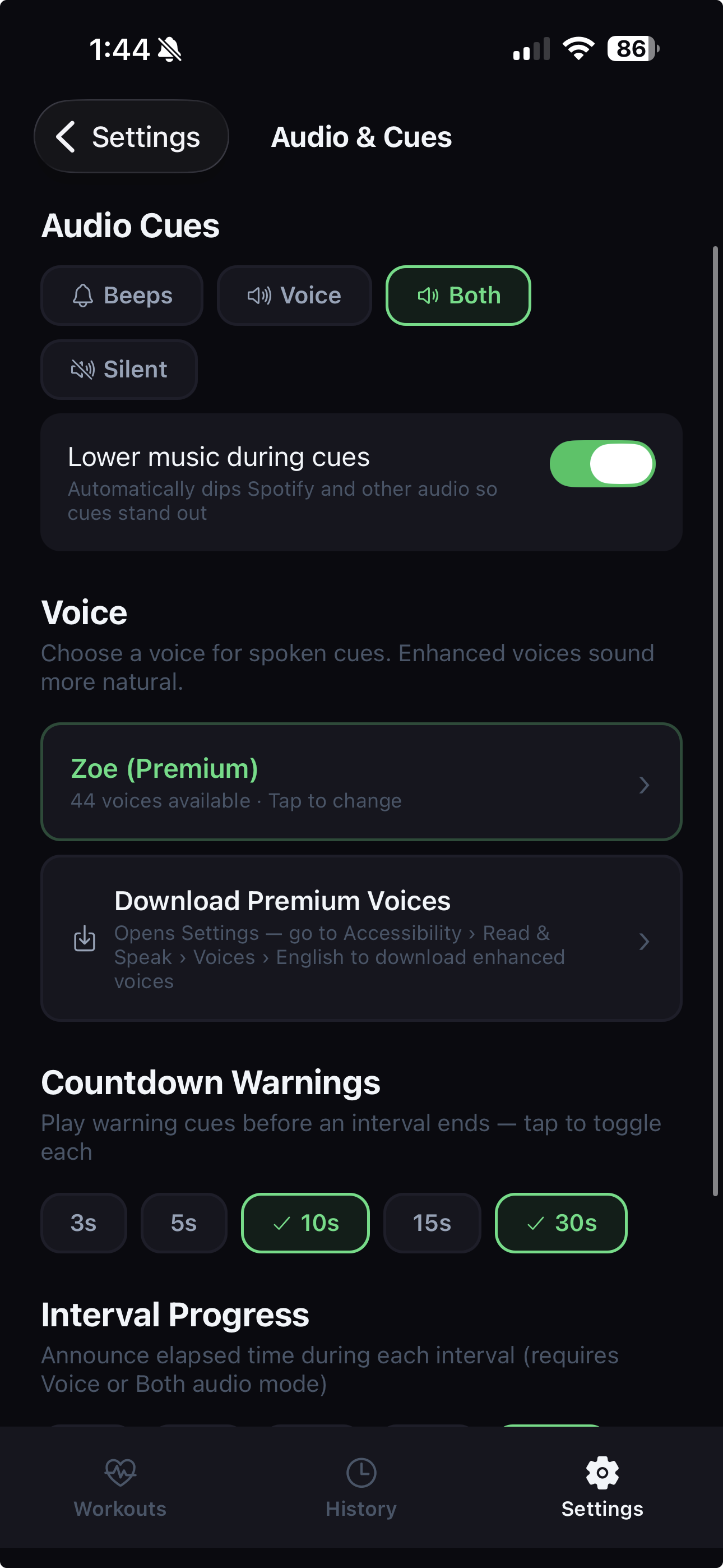
Audio & Cue Settings
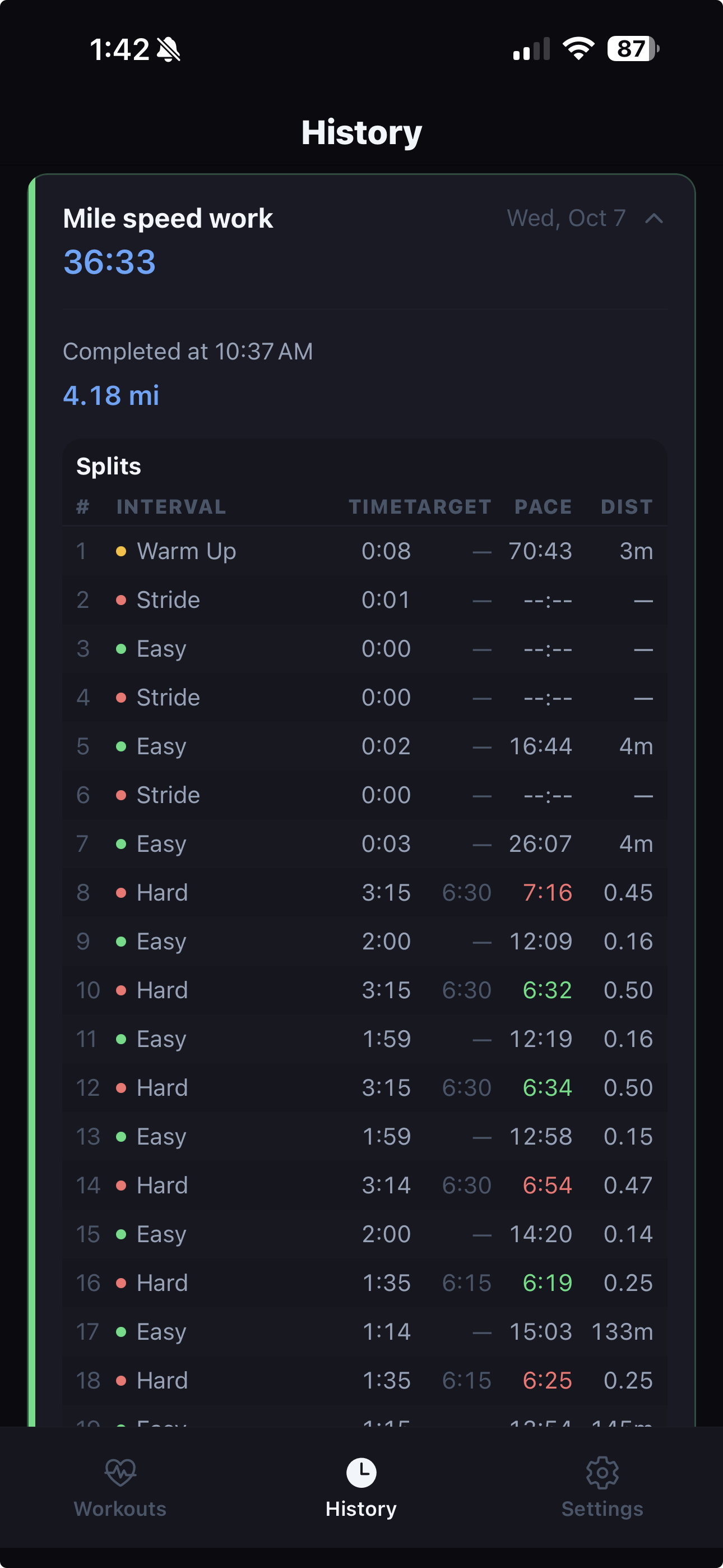
Pace Data Per Split
How SplitCue's Audio Pace Announcements Work
SplitCue uses your phone's GPS to track your running speed in real time. At intervals you choose — every 15, 30, 45, 60, 90, or 120 seconds — SplitCue speaks your current pace out loud through your headphones or your phone's speaker.
For example, during a run you might hear:
- "Current pace: 8 minutes 15 seconds per mile"
- "Distance: 2.4 miles"
- "3 minutes remaining"
This lets you make adjustments without breaking stride. If you're drifting too slow on a tempo interval, the pace cue tells you immediately.
GPS Pace Tracking Details
SplitCue calculates your pace using a rolling average window — configurable at 10, 30, or 60 seconds — to smooth out GPS noise. This means you get an accurate picture of your effort rather than spiky second-by-second readings.
You can display and hear pace in either minutes per mile or minutes per kilometer.
SplitCue filters out inaccurate GPS samples (accuracy worse than 20 meters) to prevent phantom pace spikes when you run through tunnels, under bridges, or near tall buildings.
Target Pace Alerts
When you set a target pace on an interval, SplitCue compares your current pace to the target and tells you whether you're on pace, too fast, or too slow. This is especially useful for:
- Race-pace intervals where you need to dial in a specific speed
- Easy recovery intervals where you want to avoid going too fast
- Tempo runs where maintaining a steady effort is the goal
Elapsed Time Announcements
In addition to pace, SplitCue can announce the elapsed time within each interval at regular intervals (every 15, 30, 45, 60, or 120 seconds). This helps you track progress through long intervals without checking your screen.
Music Ducking
If you listen to music or podcasts while running, SplitCue temporarily lowers the volume of other audio during announcements, then restores it. You hear every cue clearly without losing your music.
Works With Screen Locked
SplitCue continues tracking your pace and making announcements while your phone screen is locked and in your pocket. The app uses background location and audio to keep running without draining your battery unnecessarily.
Audio Cue Options
SplitCue gives you full control over what you hear:
- Voice mode — full spoken announcements
- Beep mode — short tones at interval transitions only
- Both mode — voice announcements plus transition beeps
- Silent mode — no audio, only on-screen display and haptics
You can also choose your preferred text-to-speech voice from your device's installed voices.
Limitations
- GPS pace accuracy depends on satellite visibility. Indoor tracks and densely covered trails may produce less accurate readings.
- The first few seconds of a run may show no pace data while SplitCue collects enough GPS samples.
- SplitCue does not currently support external heart rate monitors or ANT+ sensors.